


Actualyze Desktop
Actualyze AI
The Actualyze app for macOS and Windows. It opens your coding agents and AI apps through Actualyze, on the budget you choose.
Actualyze Desktop opens the AI apps and coding agents you already use, such as Claude Code, Codex, Claude Desktop and VS Code Copilot, and sends their requests through Actualyze. You sign in once with your organization's sign-in. From then on each app reaches your team's models on the budget you choose. Most apps never need an API key copied into them.
Actualyze Desktop is a tech preview, so it will change as we hear from the people using it. Tell us what works for you and what doesn't.
Before you start
- An Actualyze account in a workspace, on at least one team with a budget you can charge.
- A Mac with Apple silicon on macOS 14 or later, or a Windows 11 PC.
- The apps you want to use. Actualyze opens and sets up apps you've already installed.
Install
macOS
- Choose Download for macOS at the top of this page and open the disk image.
- Drag Actualyze onto Applications.
- Open Actualyze from Applications. It's notarized by Apple, so macOS asks once whether to open it.
Keep Actualyze in Applications, because the apps you set up run a helper inside /. Opened from anywhere else, it offers to move itself there.
Windows
- Choose Download for Windows at the top of this page and run the installer. It installs for your user account and is signed by ActualyzeAI, Inc.
- If Windows says it protected your PC, choose More info, check that the publisher is ActualyzeAI, Inc., then choose Run anyway.
Updates
The download buttons always serve the newest version. Once installed, Actualyze keeps itself current. It checks for a new version when it starts and every six hours, downloads it in the background and shows Restart to update in the status bar once it's ready. To check right away, choose Check for updates in the account menu under your initials.
Sign in
- Open Actualyze and choose Continue in browser.
- Your organization's sign-in opens in your browser. Sign in, check that the browser shows the same code as Actualyze, then approve.
- If you belong to more than one workspace, pick one. If Actualyze asks for a default budget, pick the one most of your work should be charged to.
The sign-in lasts 30 days. A banner asks you to sign in again a week before it ends. Signing in again keeps your apps set up. Actualyze keeps the sign-in in the macOS Keychain or the Windows Credential Manager. None of the apps it opens ever holds it.
Launch your coding agents
Pick an agent in the dock, pick a folder and choose Launch. Actualyze opens your terminal in that folder and starts the agent with access made for that run alone, charged to the budget on its Charged to line. When the agent exits, Actualyze ends that access. Access that sits unused ends on its own too.
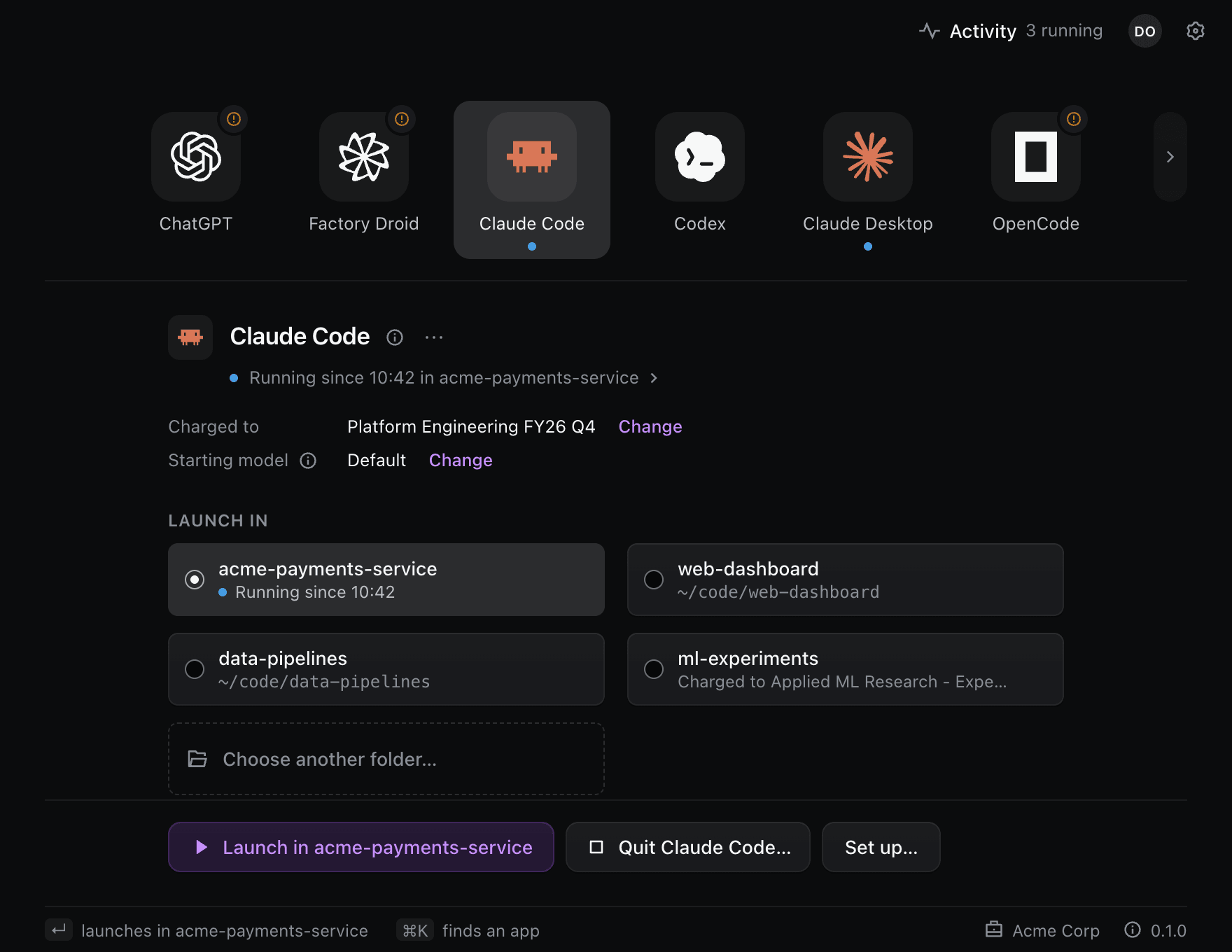
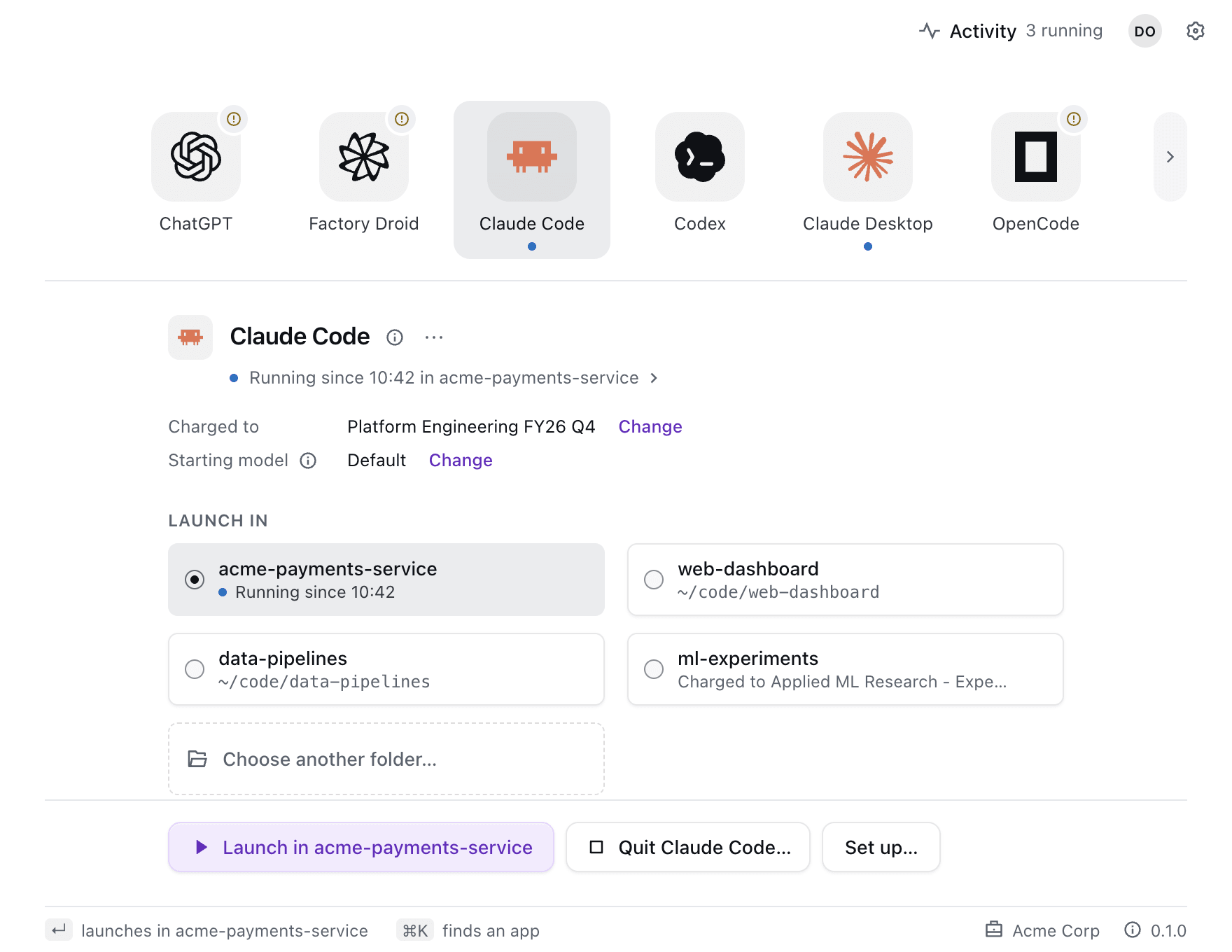
The stage keeps your four most recent folders for each agent, so the launch you make every day is one click or Enter. ⌘K (Ctrl+K on Windows) finds any app by name. On a Mac, Actualyze opens Terminal, iTerm2, Ghostty, WezTerm or Warp, whichever you choose in Settings. On Windows it opens Windows Terminal.
A launch always reaches Actualyze on the budget you chose. If your own settings point the agent somewhere else, the launch overrides them for that run and tells you which setting it overrode. If a setting your administrator manages points the agent at another provider, the launch stops and names that setting.
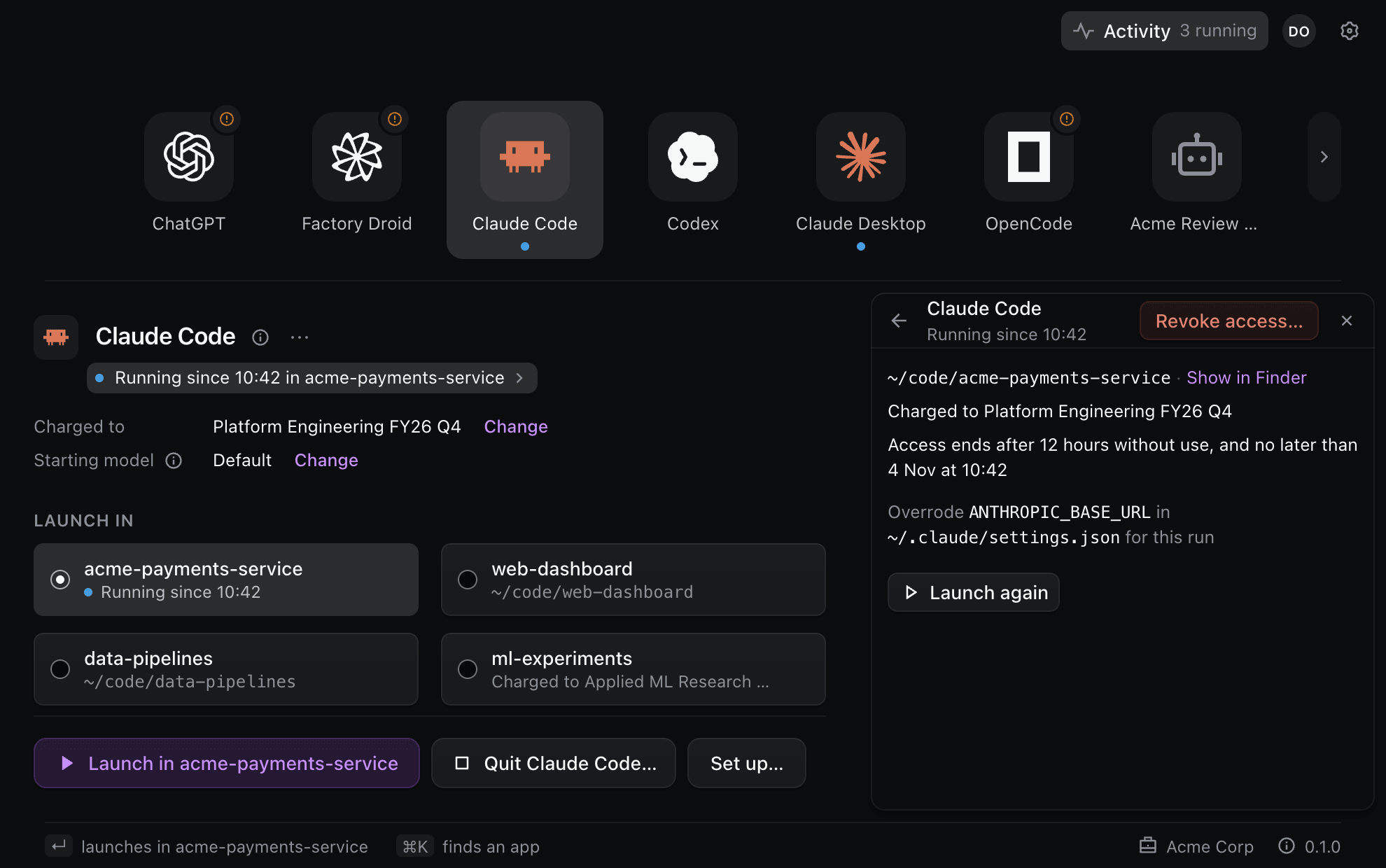
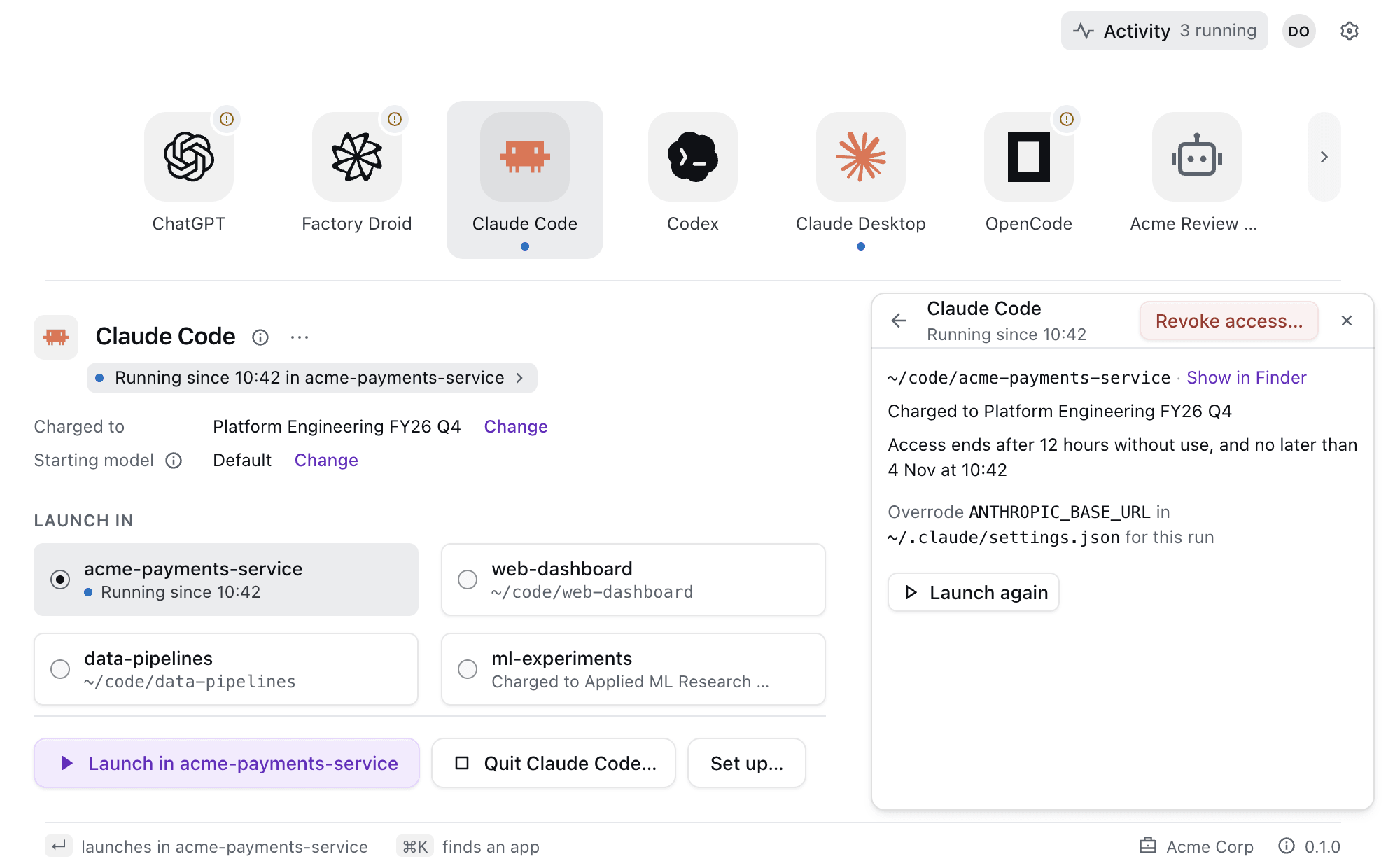
Claude Code and Codex can also get access when you start them yourself. After you choose Set up on their stage, plain claude or codex in any terminal asks Actualyze for access while Actualyze is running.
Set up your desktop apps once
Desktop apps such as Claude Desktop, ChatGPT, VS Code Copilot, Cline and Zed are set up once from their stage. Set up lists what it will change and every file it will touch before it writes anything. From then on the app asks Actualyze for access whenever it needs it, so Actualyze turns on Start at login to be there when it does. A few apps, such as VS Code Copilot, Zed and JetBrains AI, reach Actualyze through a local connection on your computer. For those, guided steps have you paste a local key that works only through Actualyze on that computer.
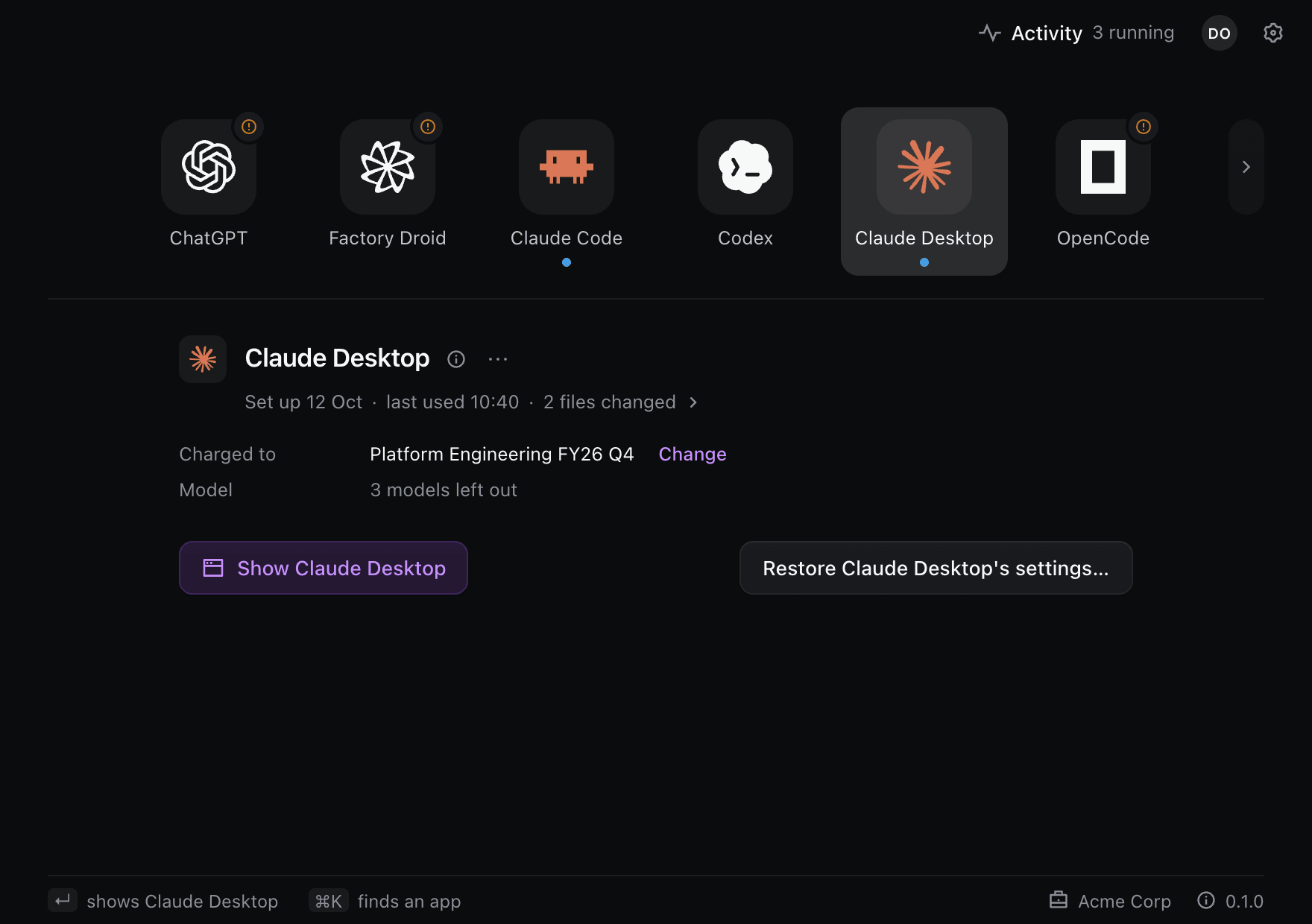
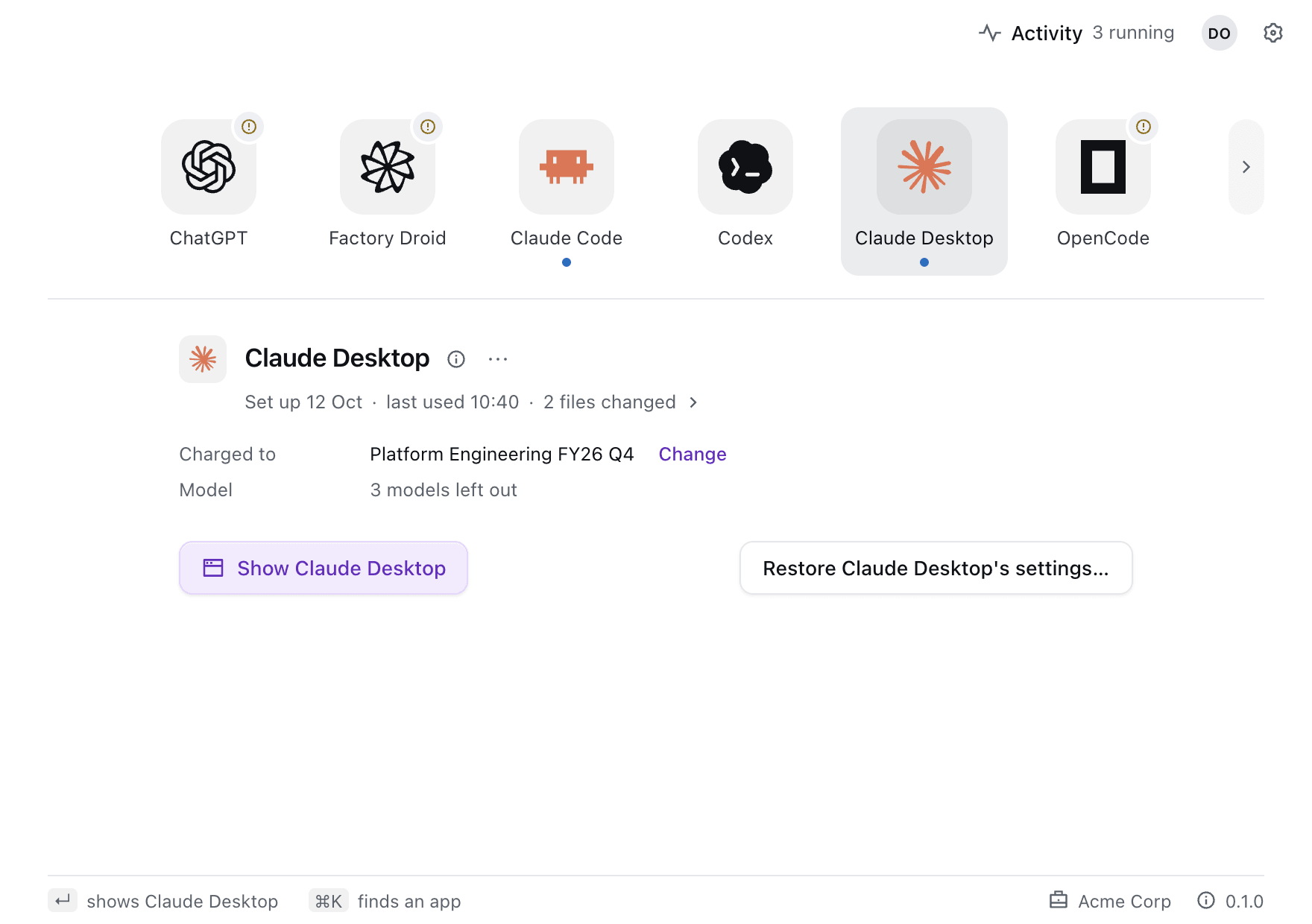
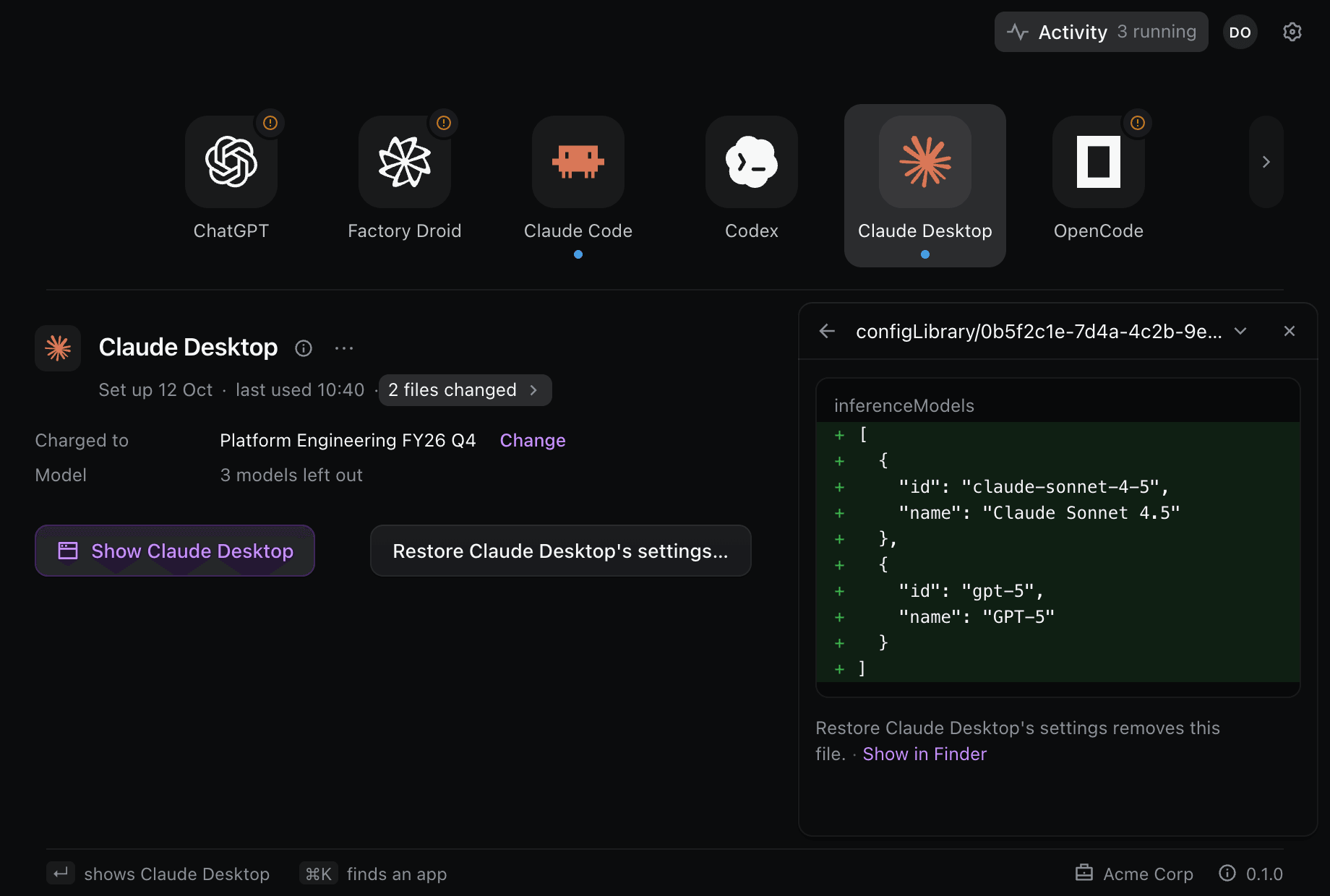
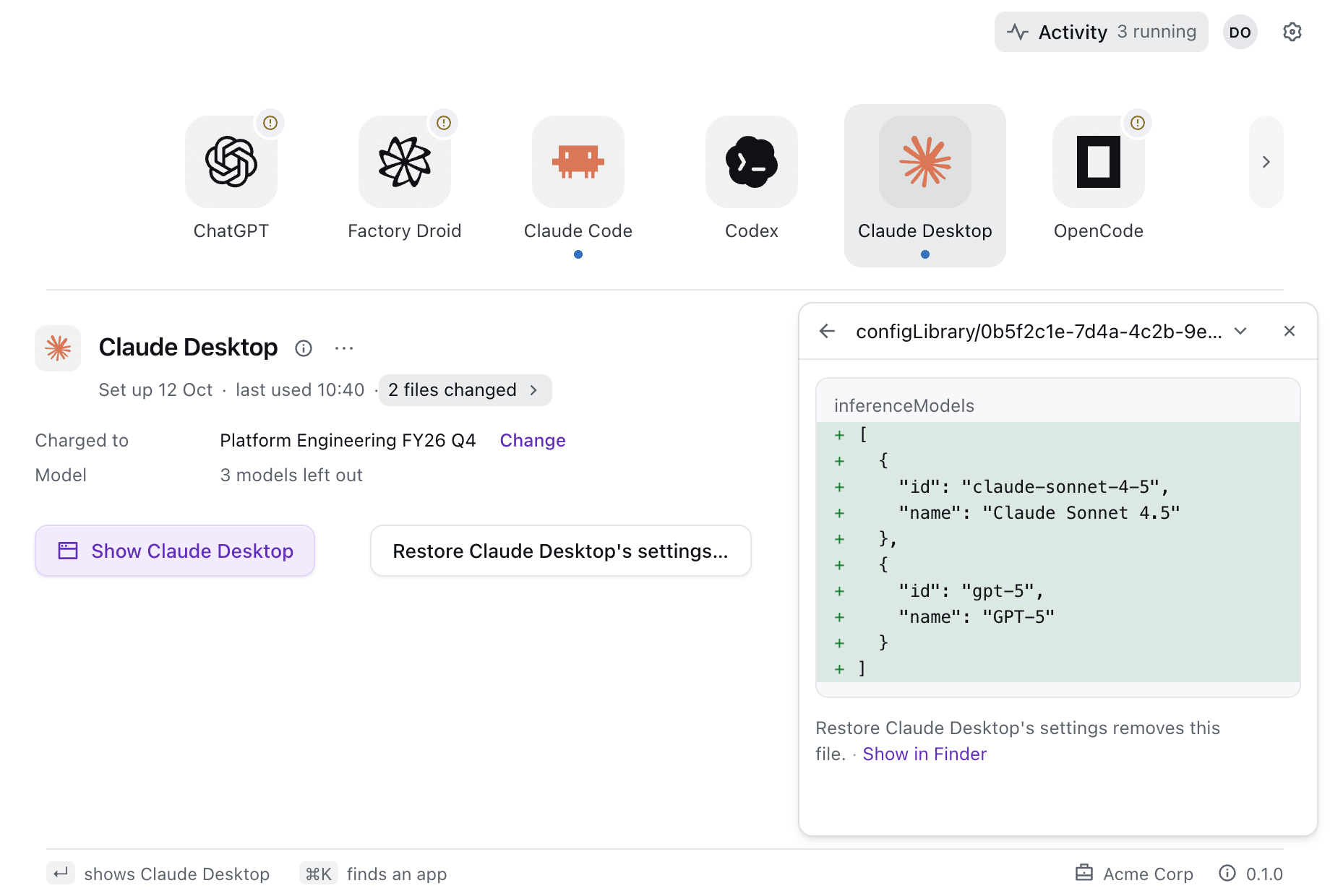
The files changed link under the app's name opens Changes, a diff of everything Actualyze wrote into the app's settings. Restore settings puts those settings back the way they were and ends the app's access. Your own edits to the same files stay.
Cursor and Warp send their requests from the vendor's servers, so Actualyze can't reach them that way. For those two, Actualyze makes an API key and walks you through pasting it into the app. These keys follow the same rules as persistent access.
Choose what each app is charged to
Every launch is charged to a team and a budget. Actualyze uses the first of these that's set.
- A budget you pick for one launch. Hold Option (Shift on Windows) and Launch becomes Launch with a different budget…, which asks for the folder, team and budget of that launch.
- An
.actualyze.tomlfile in the project folder. - The app's own budget, set with Change on its Charged to line.
- Your default budget, in the account menu under your initials.
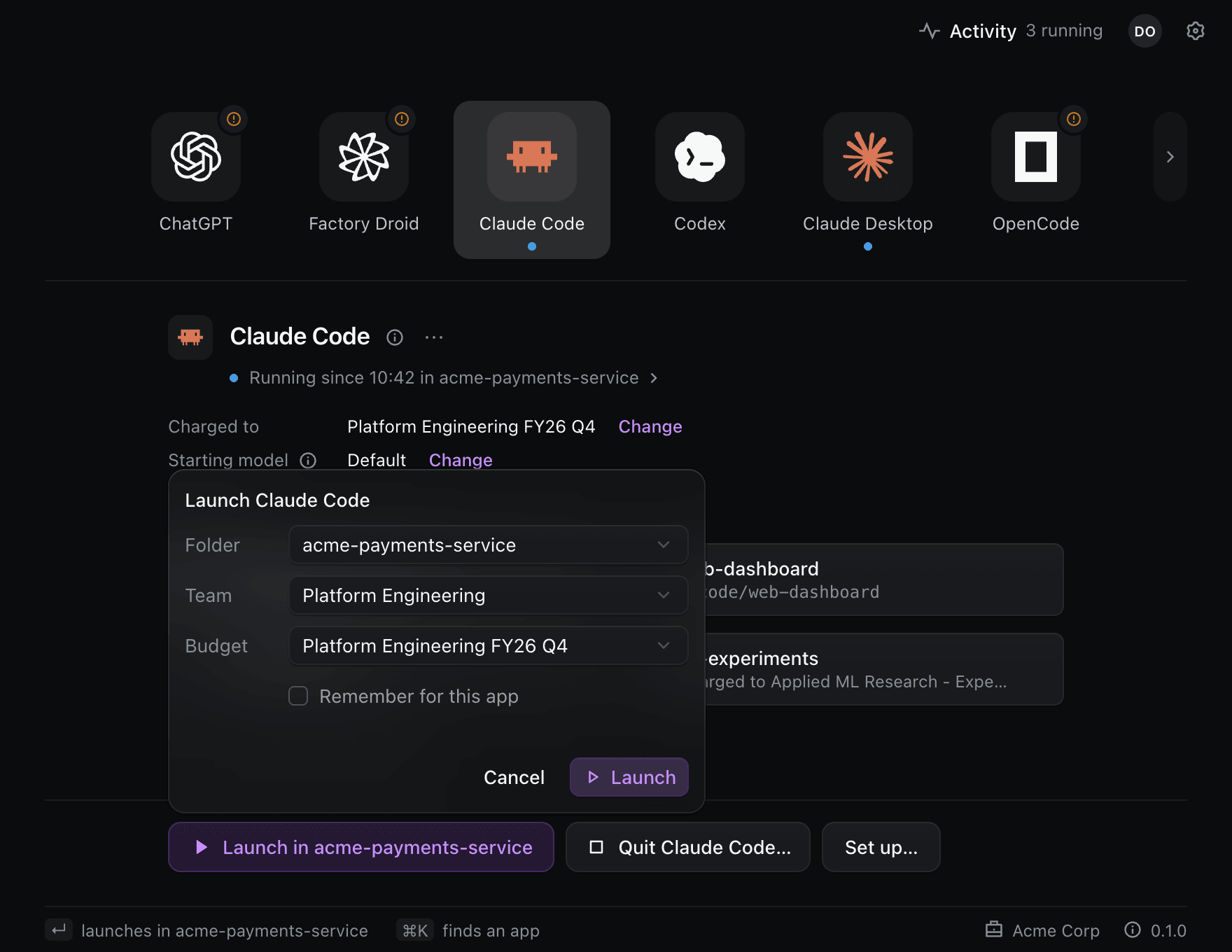
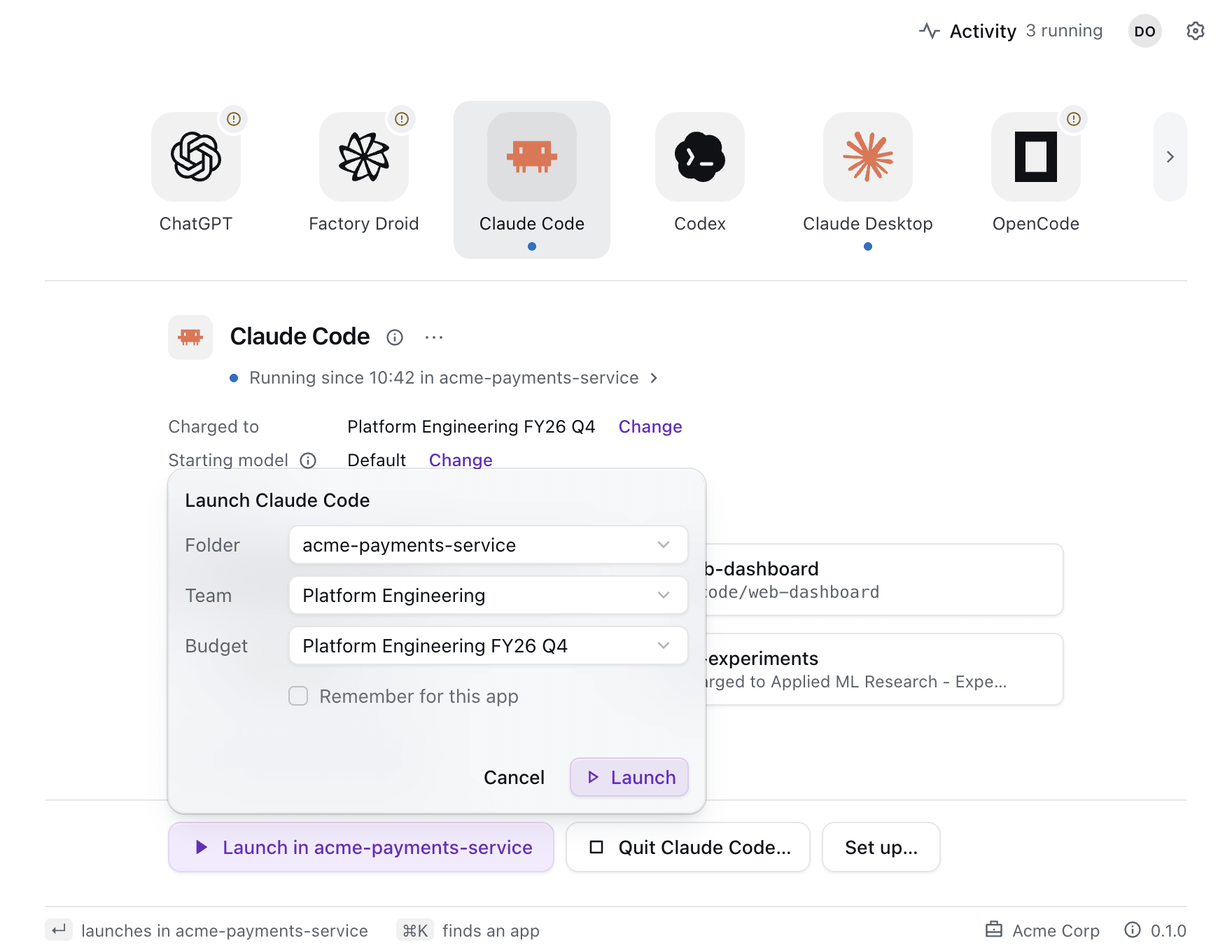
The file lets a repository carry its own budget, so everyone who launches an agent in it charges the same one. A file that names only a team uses that team's default budget.
[start]
team = "Platform Engineering"
budget = "Platform Engineering FY26 Q4"See what's running
Activity (⌘J, or Ctrl+J on Windows) lists every app running with access from this computer, the API keys your apps keep and the last 30 days of runs, each with the reason it ended. Revoke access in a run's menu ends its access at once.
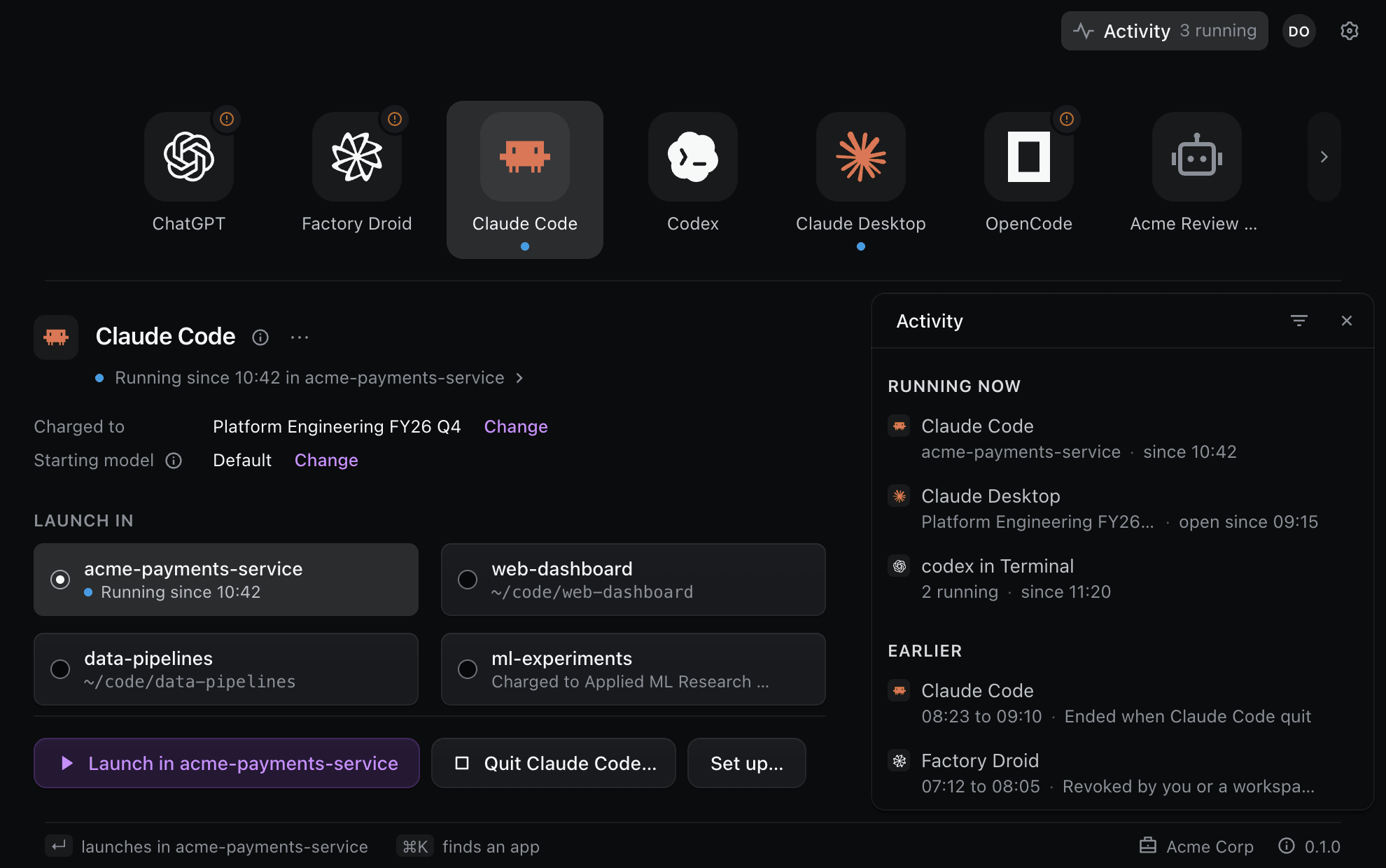
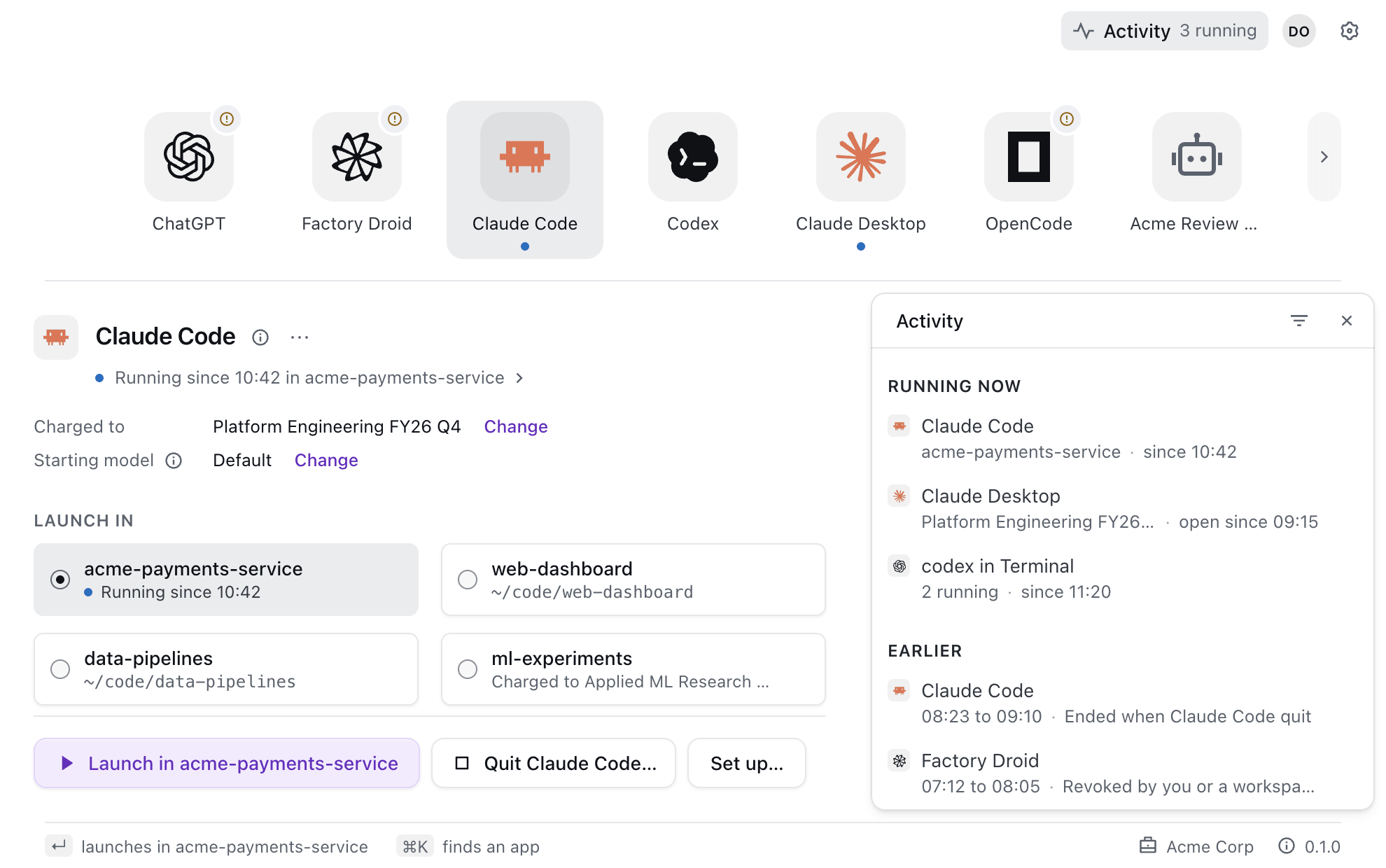
Actualyze also lives in the macOS menu bar, or the notification area on Windows. Its menu lists what's running and launches your ready apps without opening the window.
Keep an app working while Actualyze is quit
Most apps get access only while Actualyze is running. For an app that has to keep working while Actualyze is quit, choose Persistent on its Access line. Actualyze gives the app an API key of its own, bound to the app's team and budget. The stage shows when the key expires and asks you to renew it before then. You can also set a monthly limit on the key, so one app can't spend the whole budget.
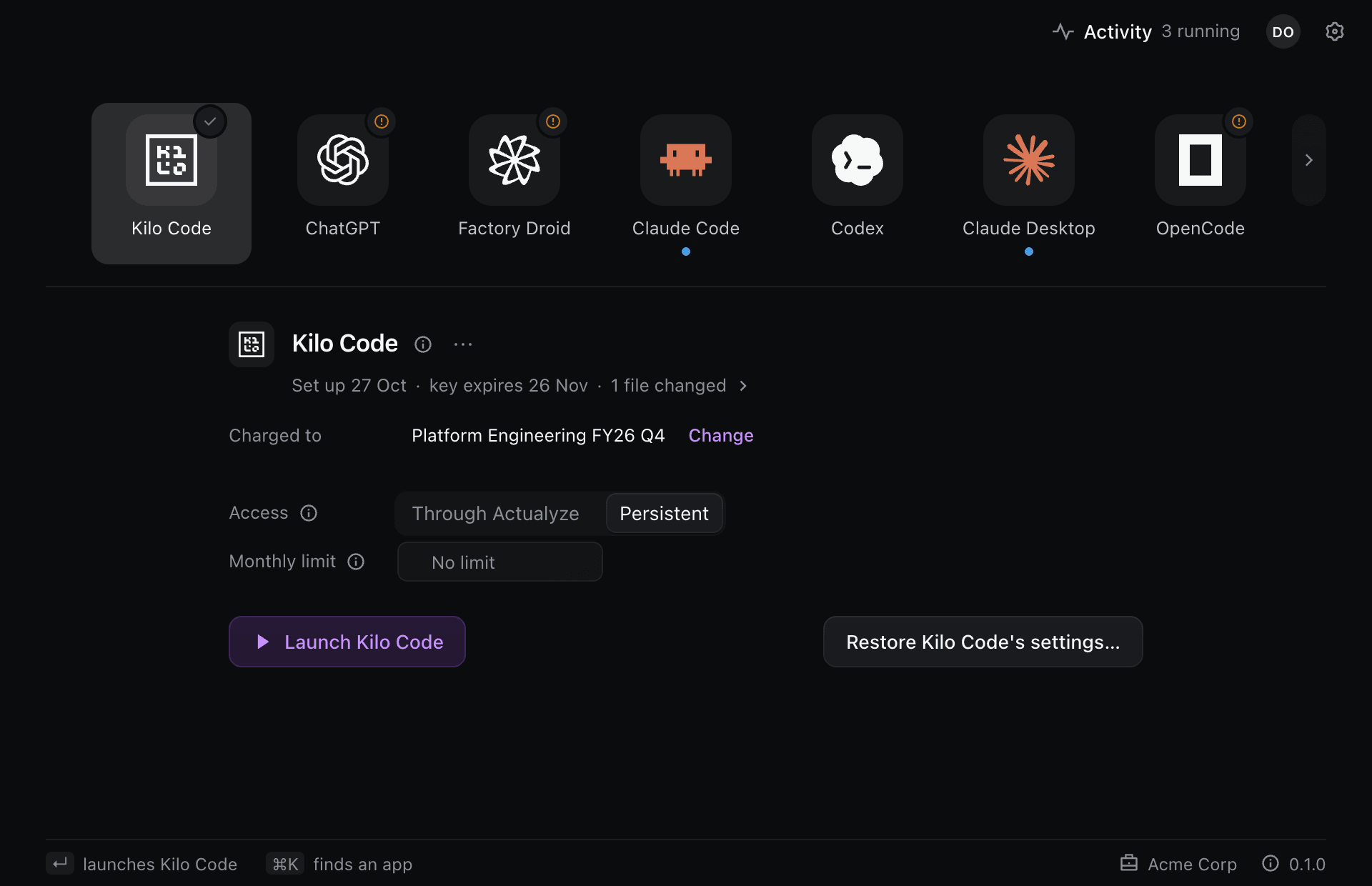
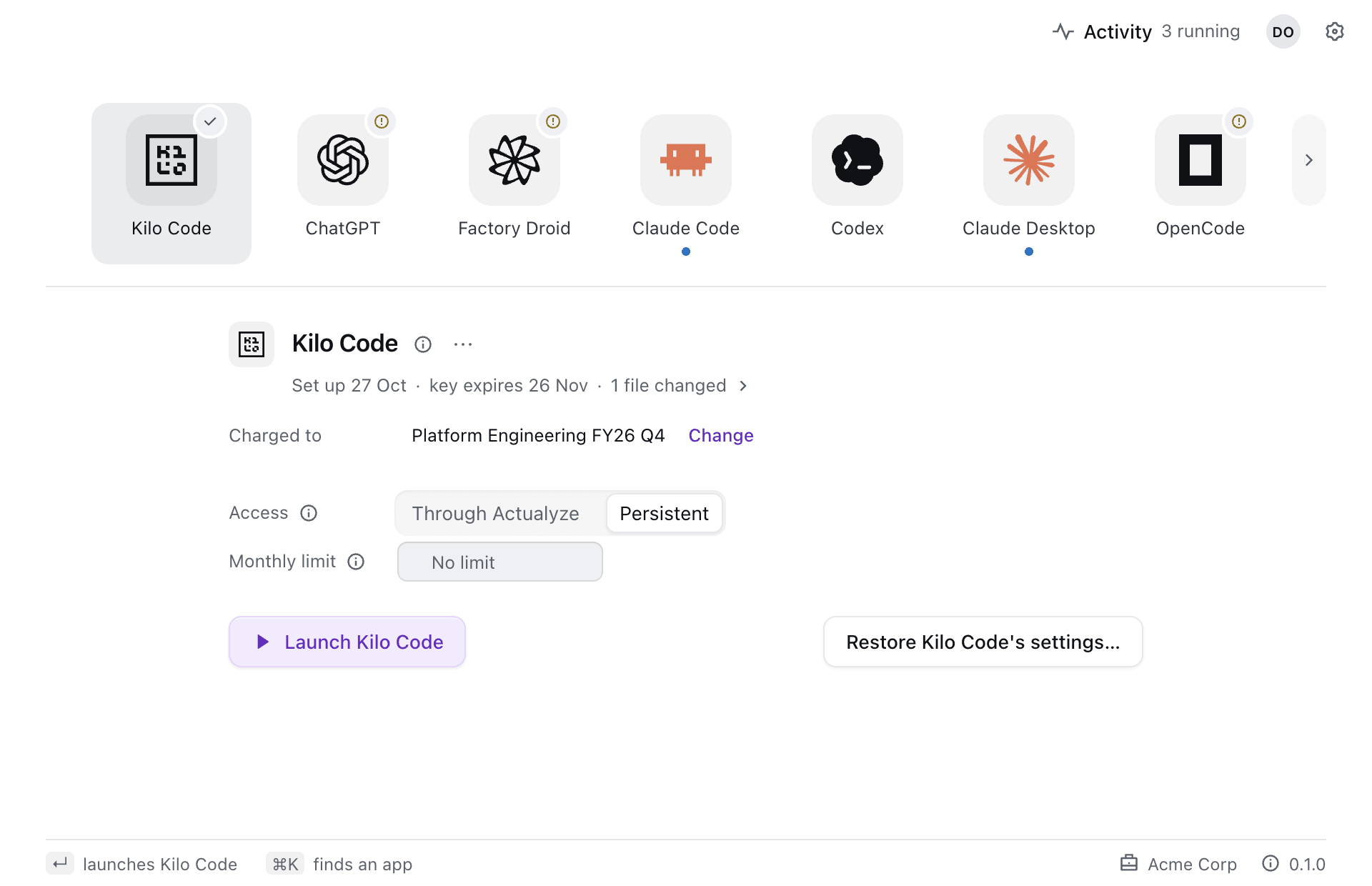
On a Mac nobody manages, you choose Persistent app by app. On Windows or on a Mac your organization manages, your administrator decides which apps may use it and how long their keys last. Claude Code, Codex, Claude Desktop, ChatGPT and Hermes Agent offer Persistent on a Mac only.
For administrators
You can manage Actualyze Desktop through your device management tool, with a managed-preferences profile on macOS or the policy registry on Windows. A policy can limit which apps members use, allow or forbid persistent API keys and set how long they last, give those keys a default monthly limit and turn off automatic updates if you roll out versions yourself. Anything a policy sets shows as Set by your organization in the app. Contact us for the policy reference.
Apps it works with
| What Actualyze does | Apps |
|---|---|
| Launches them in your terminal | Claude Code, Codex, OpenCode, Pi, Hermes Agent, Kilo CLI, Junie CLI, Aider, Copilot CLI, goose and Qwen Code |
| Sets them up once, then you open them | Claude Desktop, ChatGPT, VS Code Copilot, Cline, Kilo Code, Continue, OpenCode Desktop, Zed, goose Desktop, Jan, JetBrains AI and Factory Droid |
| Makes an API key for you to paste | Cursor and Warp |
For an app Actualyze doesn't know, Add app defines a custom one from OpenAI-style or Anthropic-style environment variables.
Troubleshooting
- A launch doesn't start. The app's status line says why, with the fix beside it, such as choosing another terminal when the one in Settings isn't installed.
- An app stops working after you quit Actualyze. Apps set up through Actualyze get access only while it runs. Turn on Start at login in Settings, or choose Persistent for that app.
- On a Mac, Actualyze shows no window after you moved it with a terminal command. Quit it, then drag
Actualyze.appinto Applications in Finder and open it from there. - Anything else. Choose Save support bundle… in the account menu and send it to us with what you did and what happened. The bundle is a file on your computer that Actualyze never uploads.


