

Make every AI call a safe one.
PII and secret masking, controls on the tool calls agents make, and per-team data rules run inline on every request, before it reaches a model, in the path your teams already use. No additional reviews, no separate scanner, no policy that only exists on paper.
Prompts are the new exfiltration route.
Today, nothing stands between your data and the model provider. Every prompt can carry PII, credentials, and source code out of your perimeter.
Sensitive data in prompts
Customer records, API keys, and proprietary code get pasted into prompts every day. Once a request leaves, there's no recalling what it carried.
Policy without enforcement
The AI usage policy lives in docs. No runtime checks it, no log proves it was followed, and every violation is discovered after the fact, if ever.
Safety rebuilt per app
Each team wires its own redaction and filtering - differently, partially, or not at all - so your real security posture is whatever the last app shipped.
AI safety has to live in the request path, not in app code.
Models are now in every workflow: support desks, coding assistants, agents acting on their own. The surface area grows faster than any per-app safety effort can cover.
A single pasted secret or customer record is a reportable incident. Controls that depend on developers remembering to call the right library will eventually miss one.
When safety is enforced in the path every call already takes, it applies to every team, every app, and every agent at once, and produces its own evidence.
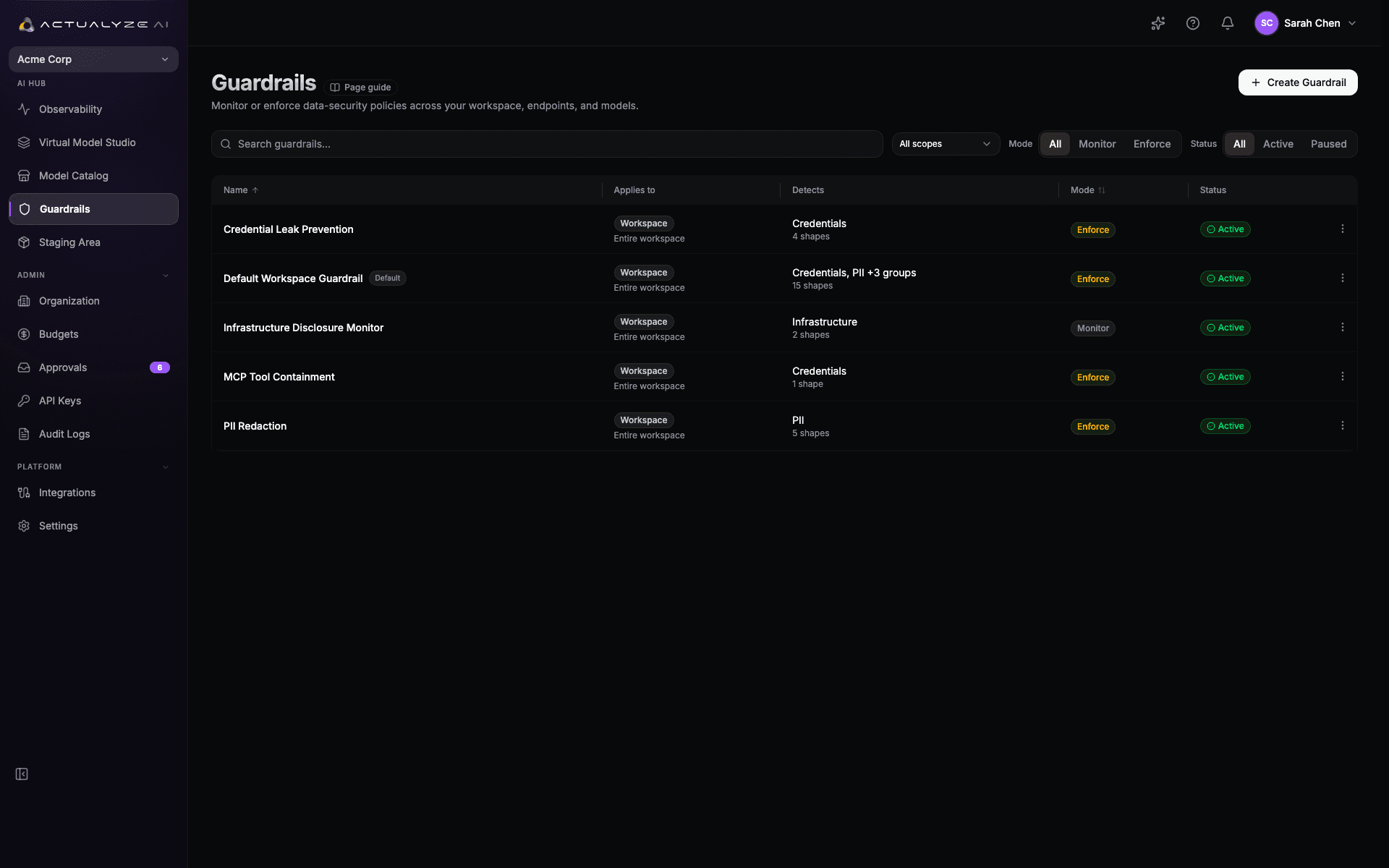
Guardrails enforced inline, on every call.
Route model traffic through one governed plane where every prompt, response, and tool call is scanned the moment it happens, with every decision recorded.
Scan and redact before anything leaves.
PII and secret masking runs inline on the prompt before it reaches the model, and again on the response. Tool-call controls check what an agent tries to do with a tool, so an injected prompt can't use one to move data out. Every detection is recorded, never silently dropped.
- PII, secret, and credential masking
- Tool allowlists, URL filtering, and parameter scanning
- Request and response scanned inline
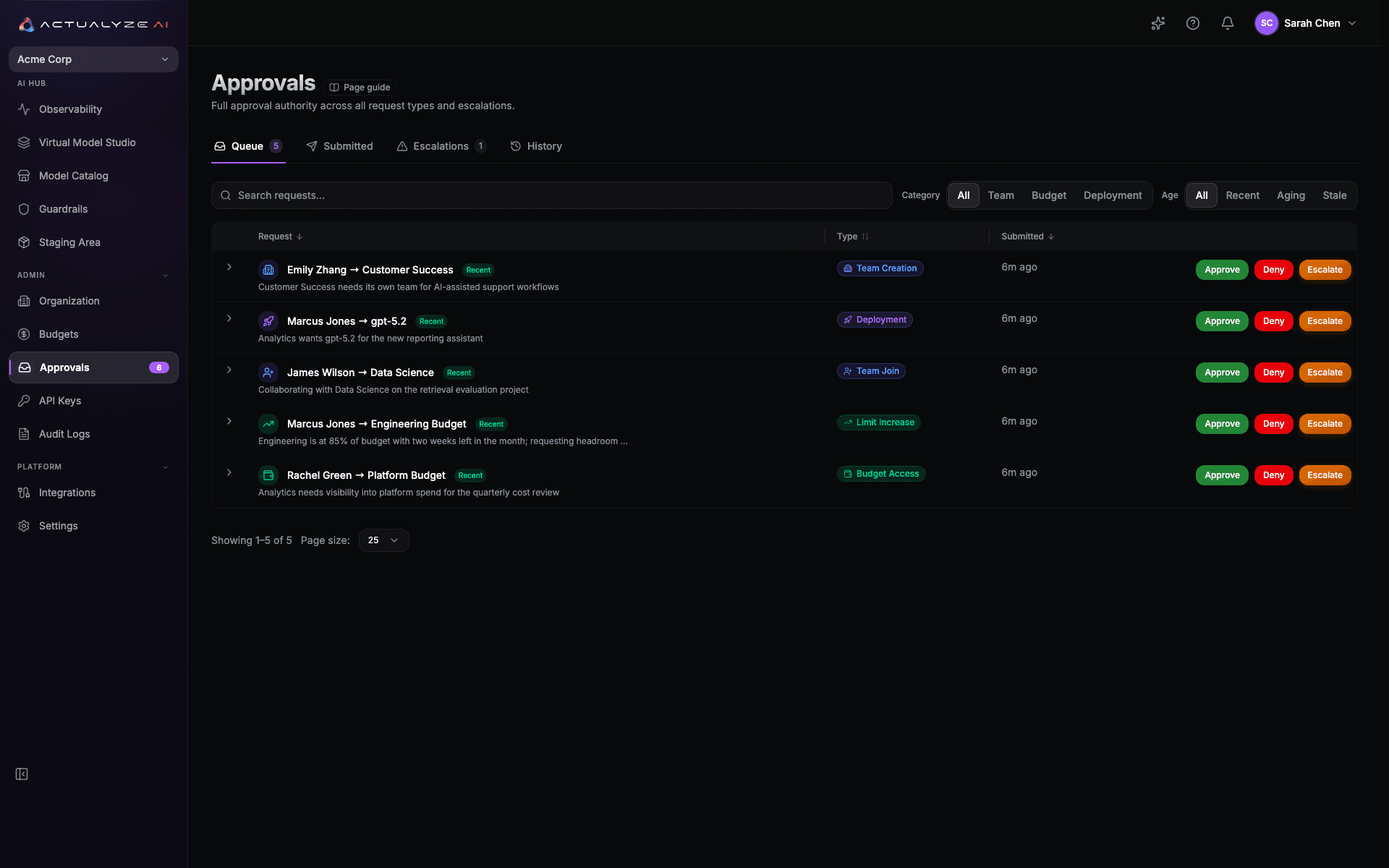
Data rules that follow your org.
Data rules travel with the team, not the app. Who can send what to which model is decided once, centrally with no per-app policy wiring to drift out of date.
- SSO through your identity provider (SAML)
- Per-team, per-model data rules
- Only allowed MCP tool calls go through
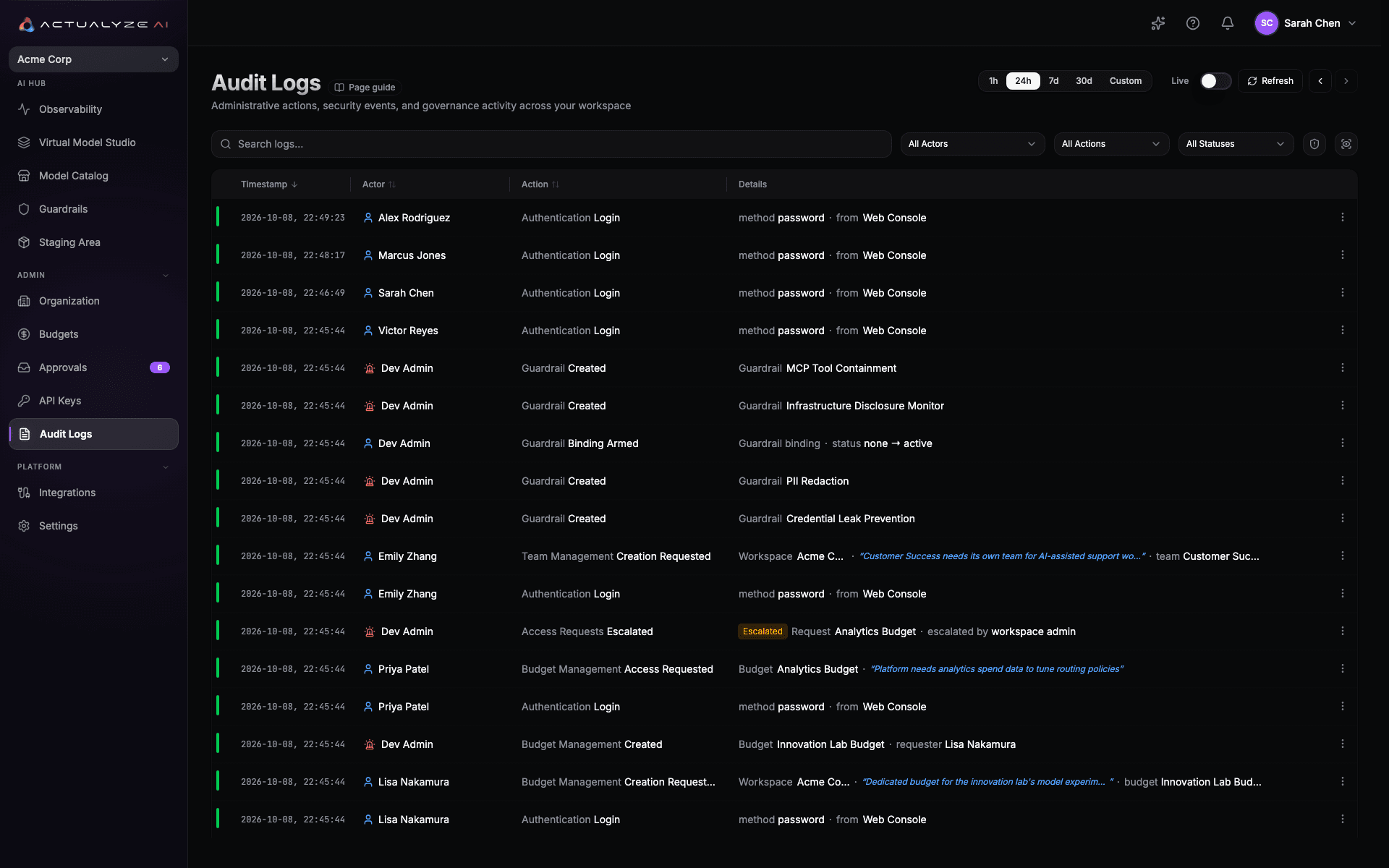
Every decision on the record.
Each detection and each blocked tool call is written to an append-only audit trail, with a snapshot of the guardrail configuration in force at that moment. Safety stops being a claim and becomes something you can look up.
- Detections recorded with the guardrail that fired
- Append-only trail, never rewritten
- Filter by actor, action, status, and time
Safe usage permeates the whole platform.
Guardrails aren't a bolt-on scanner. The same control plane that governs access and routes every call is what makes each of those calls safe.
Questions about securing AI usage.
What actually gets caught before a request reaches the model?
Do developers have to change their code to get this?
Can different teams have different rules?
What happens when a guardrail fires?
How is this different from asking teams to use a redaction library?
Does adding scanning slow teams down?
Safe by default, on every call.
Put masking, tool-call controls, and per-team data rules in the request path, and get the record that proves they ran.